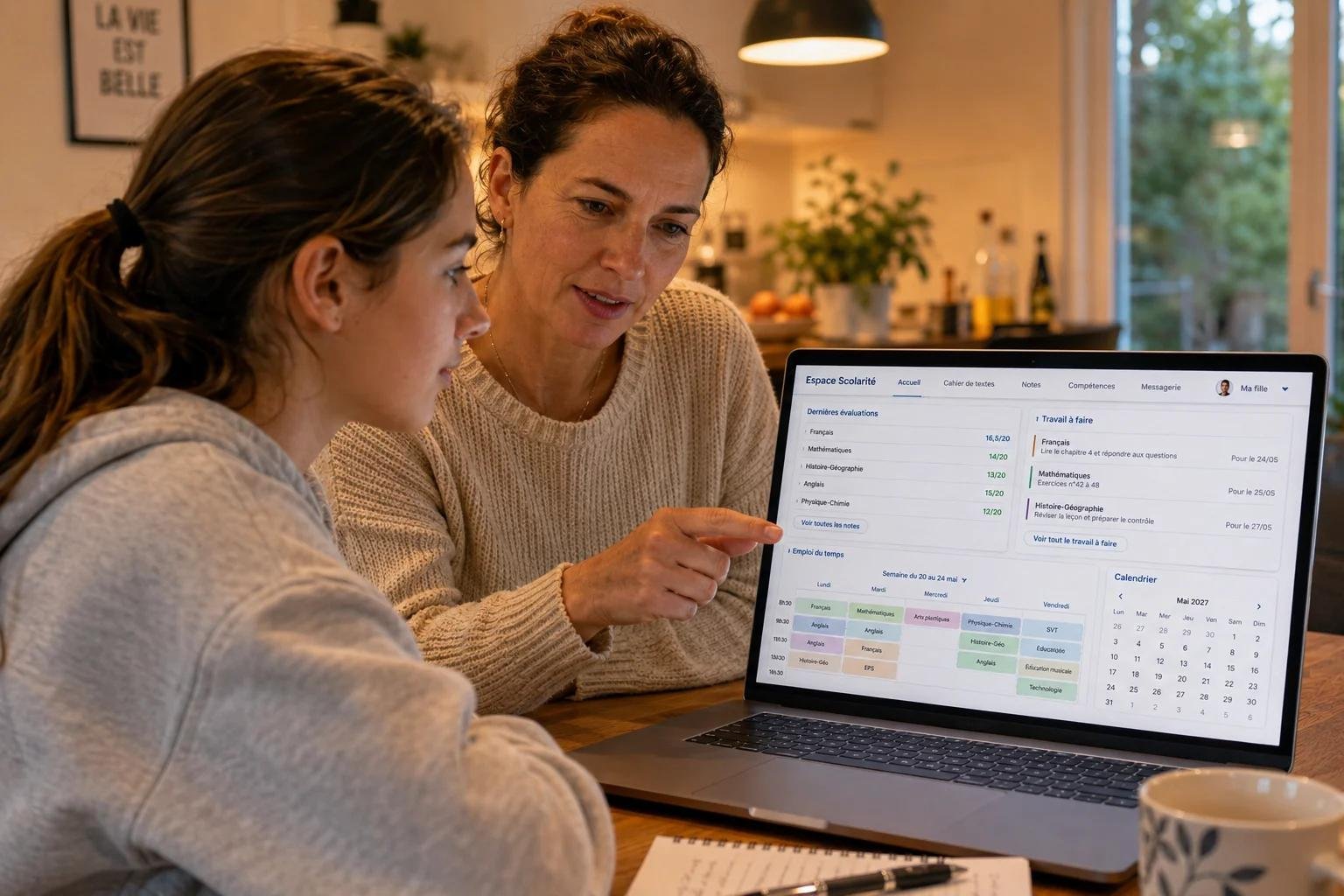
How to see school schedule through parentlink fulton schools
How to see school schedule through parentlink fulton school
Parents often need to check their child’s school schedule class times assignments and other school information. If your child attends Fulton County Schools you can use the district’s parent portal to find important student information.
Many parents search for how to see school schedule through ParentLink Fulton Schools because they want to quickly check their child’s classes and daily schedule. Fulton County Schools currently uses Infinite Campus Campus Parent for parent access to student information. The portal can show grades attendance assignments and school announcements.
This simple guide explains how to check the schedule what time Fulton County schools start and where to find the 2026–27 school calendar.
What Is Campus Parent in Fulton County Schools?
Campus Parent is the parent portal used by Fulton County Schools through Infinite Campus. It gives parents access to important information about students in their household.
Parents can use Campus Parent to check:
- Student schedules
- Grades
- Attendance
- Assignments
- School announcements
- Other student information
Fulton County Schools says parents must create and activate their portal account before using the mobile app.
So if you are searching for how to see school schedule through ParentLink Fulton Schools the current process is to use the Fulton County Schools Infinite Campus Parent Portal.
How to See School Schedule Through ParentLink Fulton Schools
The steps are simple.
Step 1: Open the Fulton County Schools Parent Portal
Go to the official Fulton County Schools website and open the Infinite Campus section. You can also use the Campus Parent mobile app after creating your parent account.
Step 2: Sign In
Enter your Campus Parent username and password.
If you are using the portal for the first time you must activate your account. Fulton County Schools requires information such as the student’s name student ID number date of birth and grade level for account activation.
Step 3: Select Your Child
After signing in choose the student whose information you want to see. This is especially useful if you have more than one child attending Fulton County Schools.
Step 4: Open the Schedule
Look for the Schedule or student schedule section in the portal. The available information can depend on the student and the school.
Fulton County Schools notes that finalized student schedules are available in the Parent Portal on or before the first day of school in August.
Step 5: Check the Daily Classes
You can review the classes and other schedule information shown for your child. If a schedule is not available yet it may simply mean the school has not finalized it.
This is the easiest way to understand how to see school schedule through ParentLink Fulton Schools without calling the school for every schedule question.
How to Use the ParentLink Fulton Schools App
Parents who prefer using a phone can use the Infinite Campus mobile app.
First create your Campus Parent account through the Fulton County Schools Parent Portal. After you have a username and password you can use those details in the mobile app.
The basic process is:
- Download the Infinite Campus mobile app.
- Select the correct school district.
- Enter your Campus Parent login details.
- Select your child.
- Open the schedule section.
- Review the available class information.
Remember that you need a Parent Portal account before using the mobile app.
What Time Does School Start in Fulton County?
School start times are not the same for every school. Fulton County Schools publishes individual bell schedules for elementary middle and high schools.
For many schools the published times are:
| School Level | Common Open Time | Common Close Time |
| Elementary | 7:40 AM | 2:20 PM |
| Middle | 8:55 AM | 4:05 PM |
| High | 8:20 AM | 3:30 PM |
There are some exceptions. For example FCS Innovation Academy opens at 8:55 AM while The Promise Career Institute opens at 9:00 AM.
Because times can vary by school parents should check the official Fulton County Schools bell schedule for the exact school.
What Are the Dates for the Fulton County School Calendar for the 2026–27 School Year?
Fulton County Schools has an official 2026–2027 School Year Calendar available through its district calendar page.
Important dates include:
- First day for students: August 3 2026
- Fall Break: September 21–23 2026
- Professional Development/Teacher Workdays: September 24–25 2026
- Thanksgiving Break: November
- Winter Break: Begins December 21 2026
- Spring Break: April 2027
- Last day of school: May 26 2027
The district has published the 2026–27 calendar and provides a printable/text PDF version on its calendar page.
Parents should always check the official calendar because dates can change or special school events may have different schedules.
What Is the Best School in Fulton County?
There is no single answer to the question “What is the best school in Fulton County?” because the right school can depend on what a family wants.
Parents may compare schools using:
- Academic results
- Advanced classes
- College preparation
- Arts and sports
- School programs
- Location
- Transportation
- Student support
Fulton County Schools has highlighted several high-performing schools in the district over the years. For example the district previously reported strong rankings for Northview High School Centennial High School Riverwood International Charter School and North Springs High School.
For a current comparison parents should look at recent school performance information rather than relying only on an older ranking.
What If I Cannot See My Child’s Schedule?
Sometimes parents log in and do not see a schedule. This does not always mean there is a problem.
Fulton County Schools says finalized schedules become available in the Parent Portal on or before the first day of school in August.
Try these steps:
- Make sure you are using the correct student account.
- Check that your child is connected to your parent account.
- Log out and sign in again.
- Check the schedule section later if schedules have not been finalized.
- Contact your child’s school if the problem continues.
If you cannot activate your account the district also recommends contacting your local school for help.
Can I See More Than One Child?
Yes. Campus Parent is designed to provide information for enrolled students in a parent’s household. If a child is missing from the account Fulton County Schools advises parents to contact their local school so the household information can be checked.
This makes the portal useful for families with multiple students because parents can check student information from one parent account.
ParentLink vs. Campus Parent
Some parents still use the term ParentLink when searching for Fulton County school information. However the current Fulton County Schools information identifies Infinite Campus Campus Parent as the parent portal.
Campus Parent provides access to grades attendance assignments announcements and other student information.
Therefore if you are searching online for how to see school schedule through ParentLink Fulton Schools look for the Fulton County Schools Infinite Campus Parent Portal.
Quick Answer: How to See School Schedule Through ParentLink Fulton Schools
To quickly check your child’s schedule:
- Open the Fulton County Schools Infinite Campus Parent Portal.
- Sign in with your Campus Parent account.
- Select your child.
- Find the Schedule section.
- Review the classes and times shown.
- If the schedule is missing check again after the school has finalized it or contact the school.
The district also provides official bell schedules and school calendars so parents can check general school times separately from their child’s individual class schedule.
Final Thoughts
Finding your child’s school schedule does not have to be difficult. Fulton County Schools provides Campus Parent through Infinite Campus so parents can access important student information online.
If you were searching for how to see school schedule through ParentLink Fulton Schools the main thing to remember is that the current Fulton County Schools parent system is Campus Parent. Create or activate your account sign in select your child and check the schedule section.
For school start times and holidays use the official Fulton County Schools bell schedule and 2026–27 school calendar. These sources are helpful because individual school times and important dates can vary.
.






Post Comment